
Client control overview
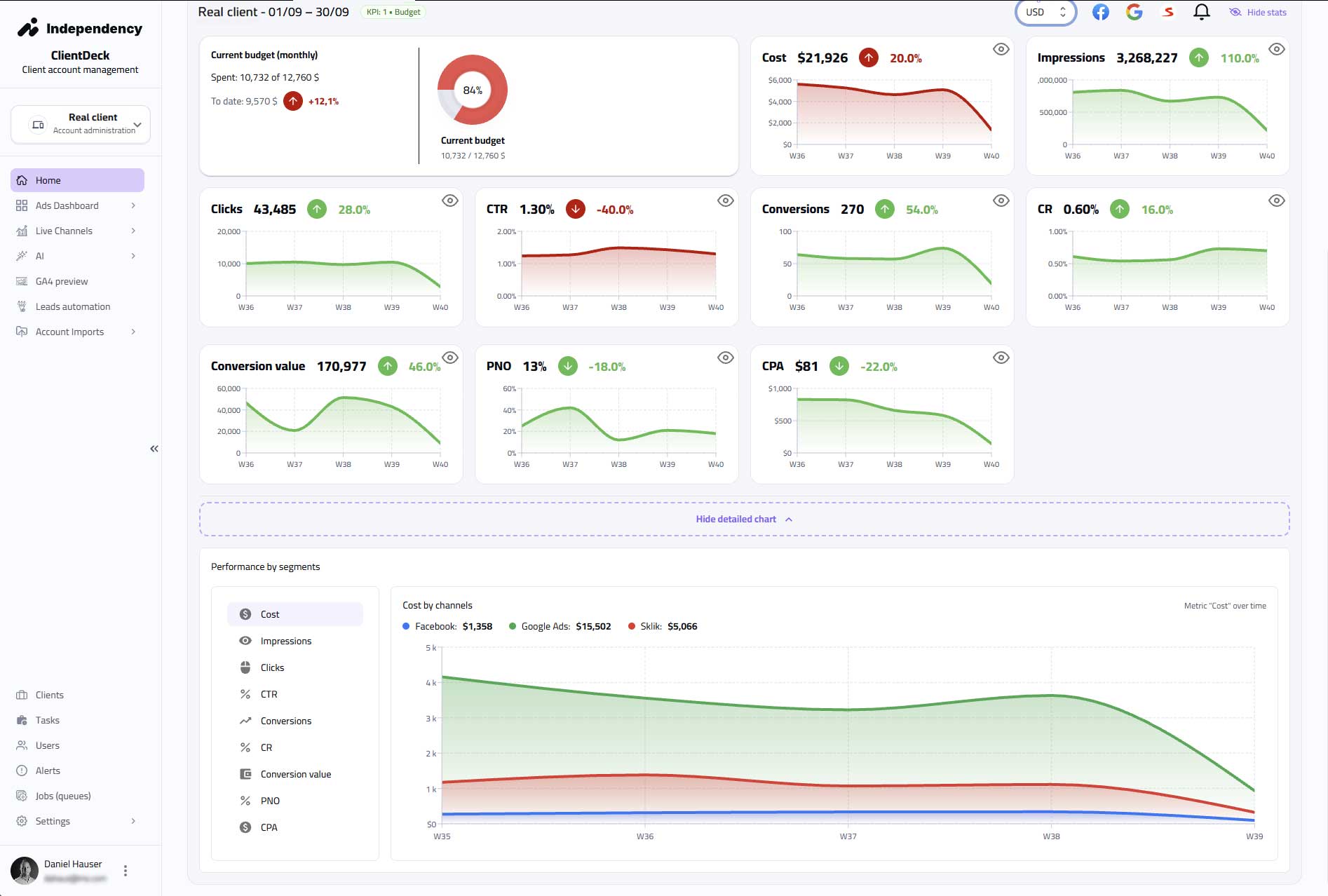
Budgets, CPA, PNO, conversions, trend. Everything on a single screen.
It collects signals, evaluates them by rules and turns them into concrete actions.
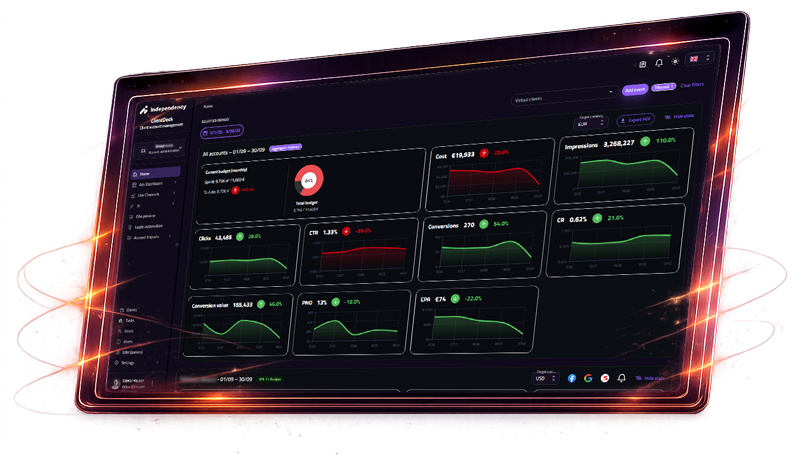
Real interface. Real control.
Budgets, CPA, PNO, conversions, trend. Everything on a single screen.
Performance drops, more expensive leads, ad fatigue. We know where it burns.
Daily budget pacing, Lost IS, Lost Revenue. No runaway spend.
Google, Meta, Sklik — tables, ad previews, fatigue signals.
Every day we evaluate cost, conversion and return trends. When something breaks we detect it and act in time.
Choose an area — we'll show how the system works on a specific signal type.
We collect spend, pacing, planned budgets, Lost IS and trends across accounts and campaigns.
We detect overspend/underspend, risk of overburn and loss of impression share.
We recommend budget moves, limit adjustments or strategy interventions to keep performance on plan.
ClientDeck turns interface data into decisions — a control layer for marketing.
A channel signal exceeds or misses the target.
The control layer rules compare the signal with KPI.
Change budget, bidding, creative or segment.
The intervention happens immediately — directly in ClientDeck.
Metrics stabilize and return to target performance.
A dashboard shows what happened. ClientDeck helps you control what will happen.
You see what happened.
You control what happens.
We'll show concrete scenarios from your account.